
Frequently Asked Question
General: Not able to access to QNAP Turbo NAS
For an existing QNAP NAS that is no longer reachable, begin with power, local network discovery and the correct web address. Leave the disks in their original bays. Do not initialise, install, reset or boot the NAS with different disk combinations to diagnose an ordinary access failure.
- Check the physical connection. Confirm that the NAS has power and that its network cable is firmly connected to the intended switch/router. Check the link indicators using the exact model’s guide. If practical, test a known-working cable or switch port while preserving the network configuration. Avoid forced power-offs.
- Use the same authorised local network. Connect the computer to the NAS’s normal LAN/subnet. Guest Wi-Fi, VLAN separation or another router can prevent automatic discovery. Use a Qfinder Pro version supported by your Windows, macOS or Ubuntu installation.
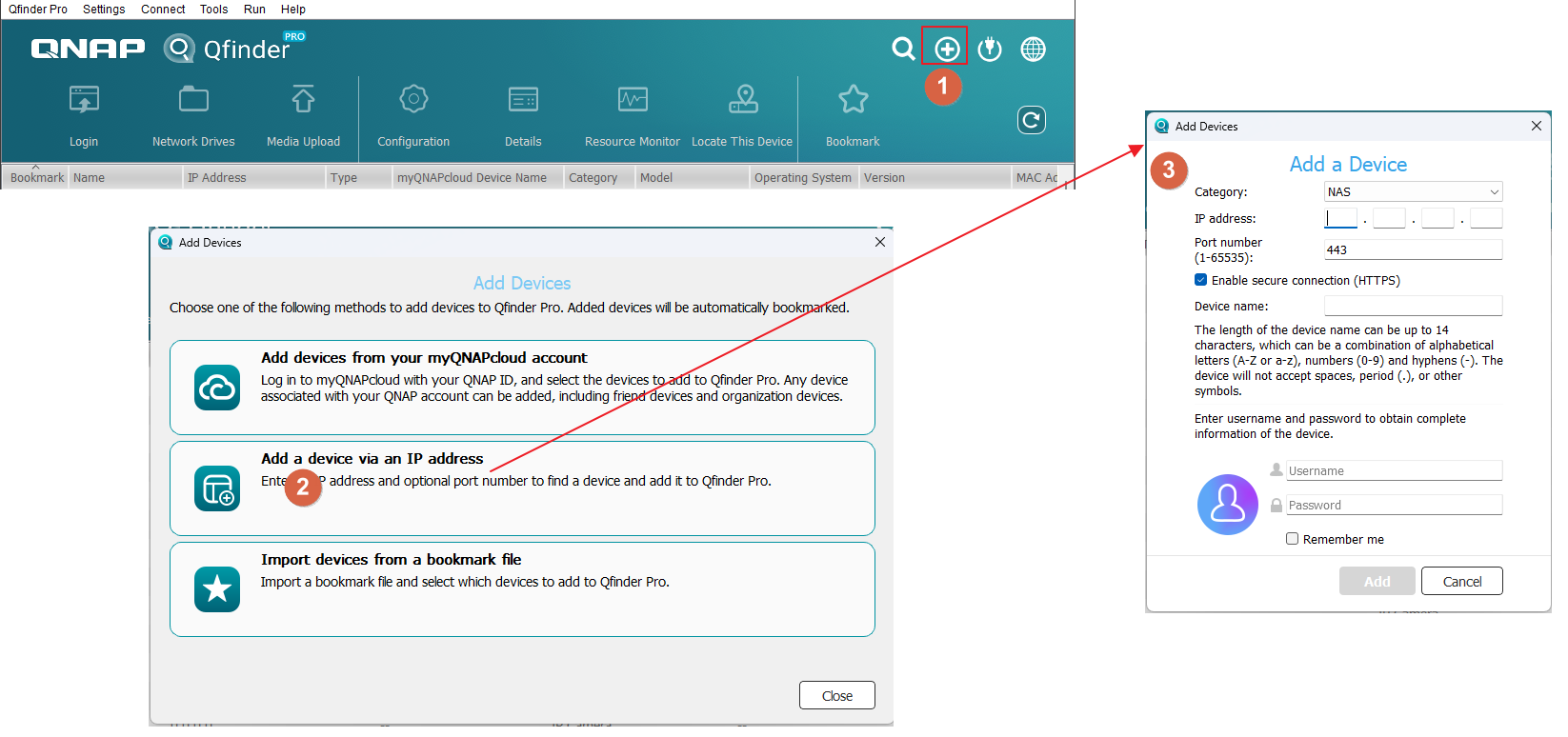
- Find the current address. Open Qfinder Pro and identify the correct NAS by model and its known identity. If it is absent, ask the network administrator to check the router/DHCP record. Qfinder’s broadcast discovery is limited to the local subnet. A known address can be added through Tools > Add Device Manually where available.
- Use the configured administration port. Open the NAS login page from Qfinder or enter the known local address and actual HTTPS port. Do not assume that443 or8080 is correct after an administrator has changed it. From another working QTS session, the setting is under Control Panel > System > General Settings > System Administration. Verify the device identity if a browser certificate warning appears; do not disable certificate checking globally.
- Separate discovery from login. If the login page opens, use the normal authorised account and address the exact login error. If one trusted device works and another fails, have the administrator review QuFirewall or the Allow/Deny List.
Stop before storage changes. If Qfinder reports an existing NAS as uninitialised, asks to install the operating system, or reports missing storage, cancel that action and seek help. A network access problem does not prove a disk is faulty.
Submit an ACE Support ticket with the NAS model, firmware, computer OS/Qfinder versions, indicator status, exact error and which local connections still work. Our Support Specialist will advise the next diagnostic step before any disk removal or reset.
Updated 250620